Here's a mistake we see constantly in Revlr scans: a business owner reads that "AI is scraping your site," adds a few lines to their robots.txt to block it, and feels good about it. Six months later, they ask ChatGPT about their own industry and wonder why they never come up.
Sometimes they blocked the right thing. Sometimes they blocked the wrong one. Usually they don't know which, because the names are confusing on purpose. Okay, probably not on purpose. But they're confusing.
Let's fix that.
Two jobs, two crawlers
Every major AI company now runs separate crawlers for separate jobs:
- Training crawlers collect pages that may be used to train future AI models.
- Search crawlers build the index the AI uses to find and cite pages when someone asks a question right now.
They're controlled separately in your robots.txt file. So you get to make two decisions, not one: "Can you learn from my content?" and "Can you show my content to people asking questions?"
The crawlers that matter, by company
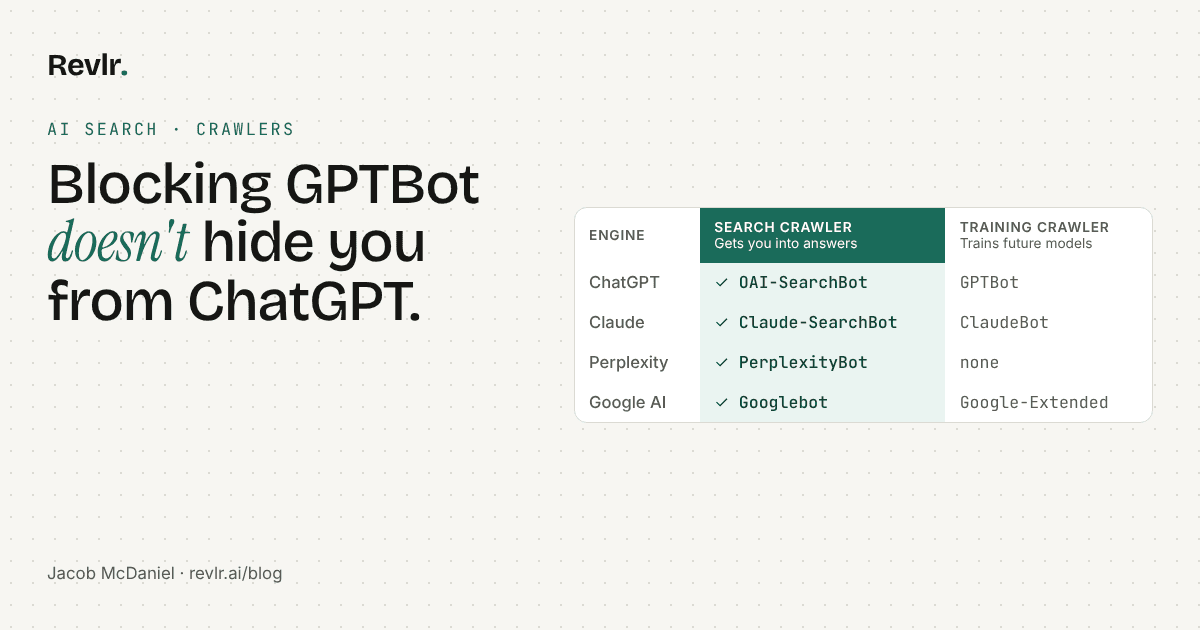
| Company | Search crawler (controls whether you show up in answers) | Training crawler (controls model training) | User-requested fetcher |
|---|---|---|---|
| OpenAI (ChatGPT) | OAI-SearchBot | GPTBot | ChatGPT-User |
| Anthropic (Claude) | Claude-SearchBot | ClaudeBot | Claude-User |
| Perplexity | PerplexityBot | None (Perplexity says its crawlers aren't used for training) | Perplexity-User |
| Google (AI Overviews, AI Mode) | Googlebot | Google-Extended (for some of Google's other AI systems) | n/a |
Here's what each company actually says.
OpenAI recommends allowing OAI-SearchBot if you want to appear in ChatGPT search, and says blocking GPTBot signals that your content shouldn't be used to train its foundation models. The two are independent. OpenAI also notes that ChatGPT-User, which fetches pages when a person asks ChatGPT to, isn't used to decide whether content appears in search.
Anthropic says ClaudeBot collects content that could contribute to training. Blocking Claude-SearchBot stops Claude from indexing your content for search, which may reduce your visibility in its answers. Blocking Claude-User stops Claude from fetching your page when a user asks it to.
Perplexity says PerplexityBot is how it surfaces and links websites in its search results, and recommends allowing it. It says neither of its crawlers is used to train AI foundation models. One catch: Perplexity-User, which fetches pages when a person asks a question, generally ignores robots.txt because a person requested it.
Google is the odd one out. AI Overviews and AI Mode run on regular Google Search, so they use Googlebot. If Googlebot can crawl you and your page is allowed to show a snippet, you're eligible. Google-Extended is a separate control for some of Google's other AI systems. It doesn't take you out of AI Overviews.
So what should you block?
That's your call, and there's no wrong answer on training. Plenty of businesses are fine with it. Plenty aren't. What matters is that you choose on purpose.
Our take: if you want customers to find you through AI tools, allow the search crawlers. Block the training crawlers only if that's a decision you actually made, not one you copied from a forum post.
What this looks like in robots.txt
Here's an example for a site that wants to show up in AI answers but opt out of training:
# Let AI search tools find and cite you
User-agent: OAI-SearchBot
Allow: /

User-agent: Claude-SearchBot
Allow: /

User-agent: PerplexityBot
Allow: /

User-agent: Googlebot
Allow: /

# Opt out of model training
User-agent: GPTBot
Disallow: /

User-agent: ClaudeBot
Disallow: /

User-agent: Google-Extended
Disallow: /
Two warnings before you copy this:
- Check what's already there. A blanket
User-agent: */Disallow: /rule blocks everything, including the crawlers you want. Most accidental blocks start that way. - robots.txt isn't the only wall. Some security tools and firewalls block bots before they ever read your robots.txt. If your host or CDN has "bot protection" turned on, make sure it isn't stopping the search crawlers too.
The other quiet blocker: snippet settings
For Google's AI features, crawling isn't enough. Google says a page has to be indexed and eligible to show a snippet. A nosnippet tag, or max-snippet:0, tells Google not to quote your page, which keeps it out of AI Overviews too. Sometimes those tags get added by a plugin or a past developer and nobody remembers why.
How to check your site
You can open yoursite.com/robots.txt in a browser and read it yourself. Or let Revlr do it: every free scan checks each AI engine's search crawler separately, tests whether your server actually lets them in, and flags snippet settings that keep you out of AI answers. Training crawlers show up in the report as information, not as a penalty, because that's your choice to make.
For the full picture of how Revlr checks AI search, see our AI search check.
Questions
No. GPTBot is OpenAI's training crawler. ChatGPT search uses OAI-SearchBot. Blocking GPTBot keeps your content out of model training, not out of ChatGPT's search answers.
Googlebot. AI Overviews and AI Mode run on Google Search, so a page needs to be crawlable by Googlebot, indexed, and allowed to show a snippet.
No. Google-Extended limits training and grounding in some of Google's other AI systems. It doesn't control AI Overviews.
It's your choice. Blocking training crawlers doesn't stop AI search tools from citing you, as long as their search crawlers are allowed.
Sources
Find out which AI tools can reach you.
A free Revlr scan checks every AI search crawler, one by one.
Scan my site